MNC Insider
₹100about US$1.20per export
- Seven typeset designs
- ATS-readable structure
- Re-export any time you edit
- No subscription
 MNC Insider
ATS-ready resume builder · Wherever you are applying
Upload the CV you have — or just a screenshot of your LinkedIn profile — and get back an ATS-readable resume in seven typeset designs. Your first export is free. After that it is ₹100 — about US$1.20 — where a resume writing service charges a hundred times that.
One payment, for one resume you keep. Below is what the same document costs elsewhere — typical market pricing, not quotes. Billing is in rupees; the dollar figures are there for scale.
₹100about US$1.20per export
₹2,000–₹8,000US$100–US$400one resume
Typical market pricing
₹1,200–₹2,500US$15–US$30per month
Typical market pricing
Credits are the unit: signing up gives you 100, an export spends 99, and ₹100 buys 100 more. Editing, re-parsing and switching designs cost nothing.
A PDF, a Word file, photographs of a marksheet and an internship letter, or simply a screenshot of your LinkedIn or Naukri profile. Up to five go in together and are read as one record — you do not need an existing resume to start.
Every field comes back editable: roles, dates, achievements, skills, links. This is the same structured record a recruiter's software builds from your file, so what you correct here is what they will read.
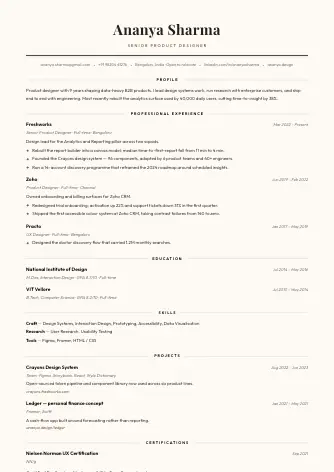
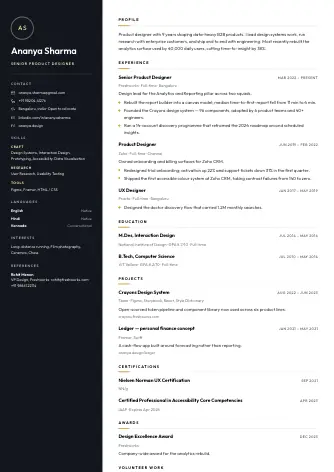
Seven typeset designs, a live page count before you commit, and a PDF with selectable text. Re-export free of layout charges whenever you edit — the design is a setting, not a purchase.
Each one is a real export, shown at full page. Switch between them as often as you like — the design is a setting, and changing it never costs a credit.
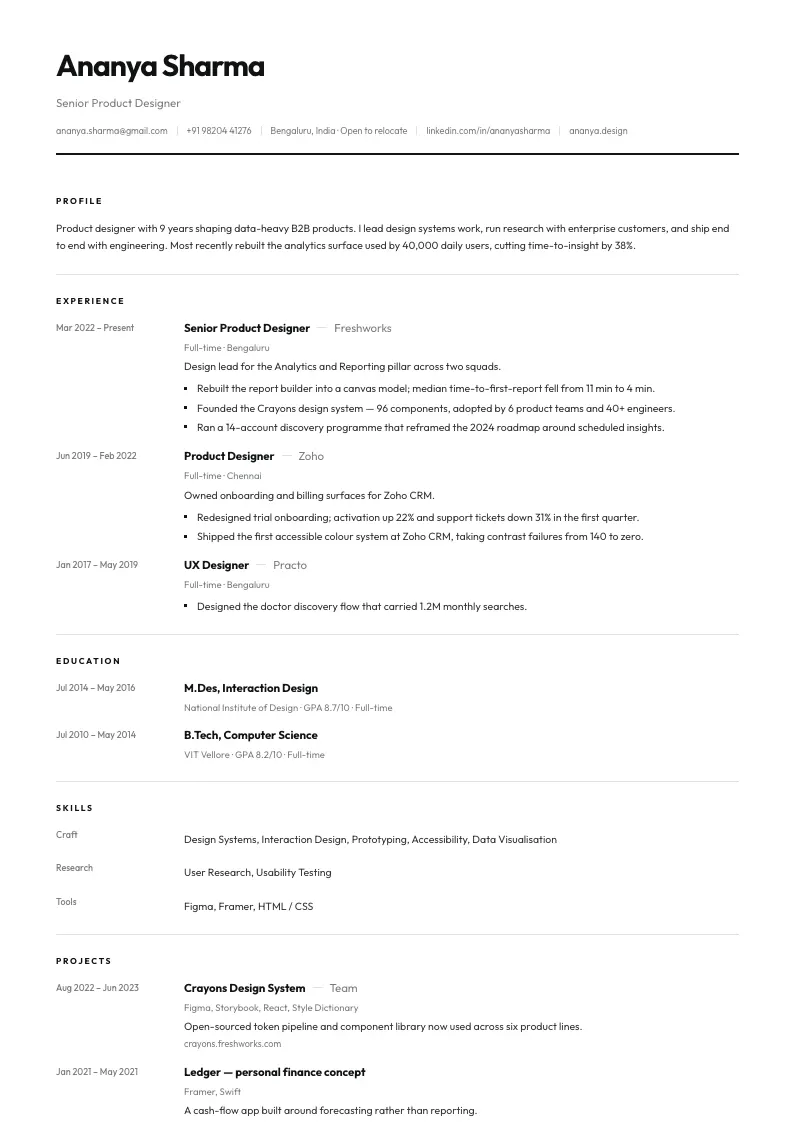
Single column. The most conservative choice for strict portals.
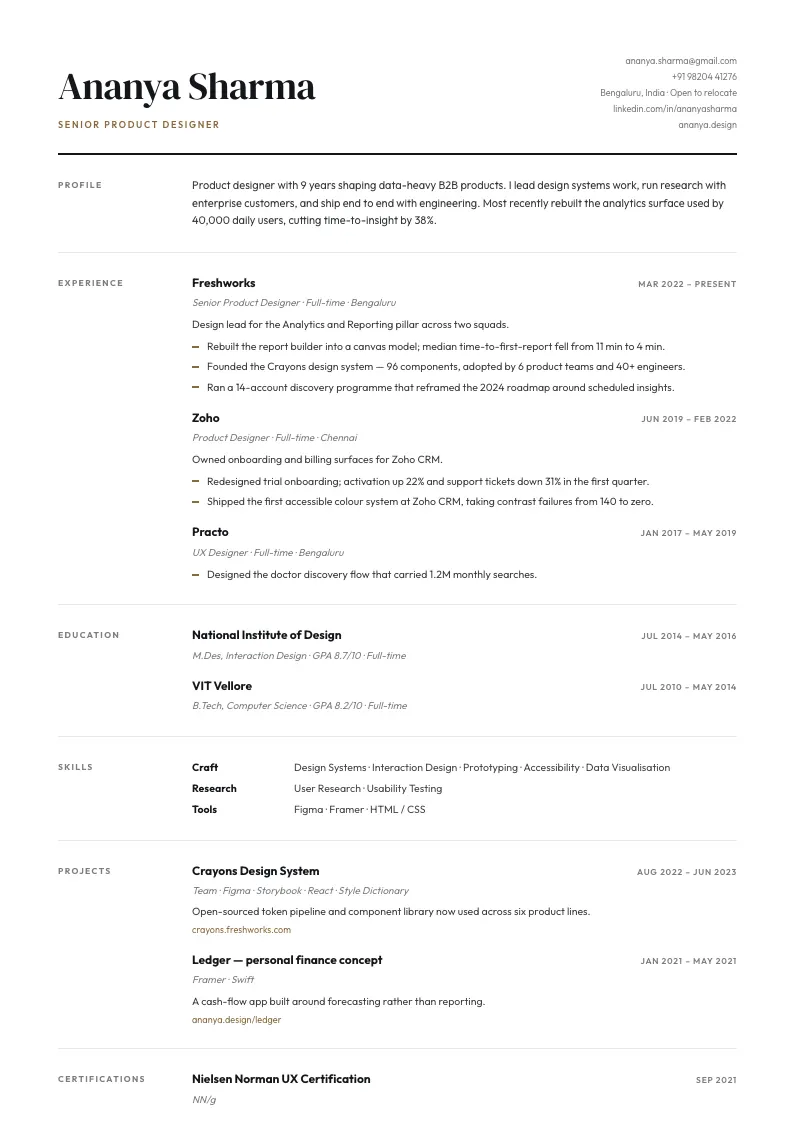
Editorial serif with section labels set in the margin.
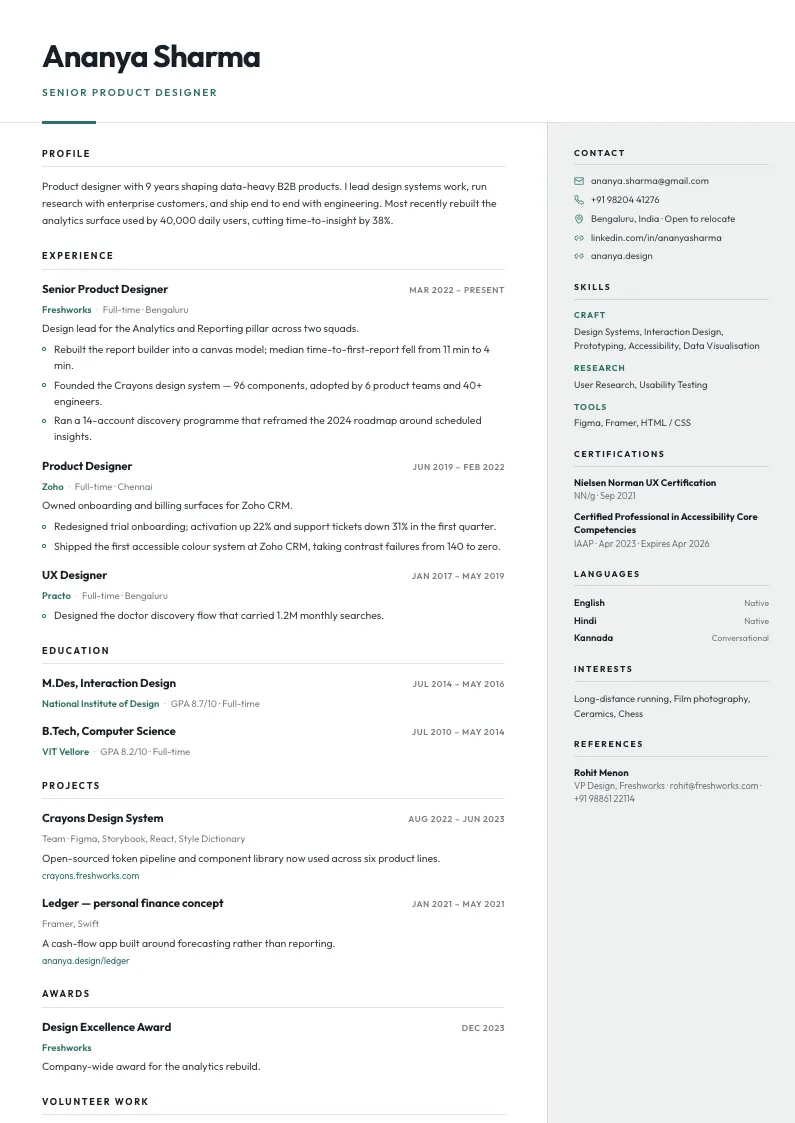
Two columns — the story on the left, the lists on a tinted rail.
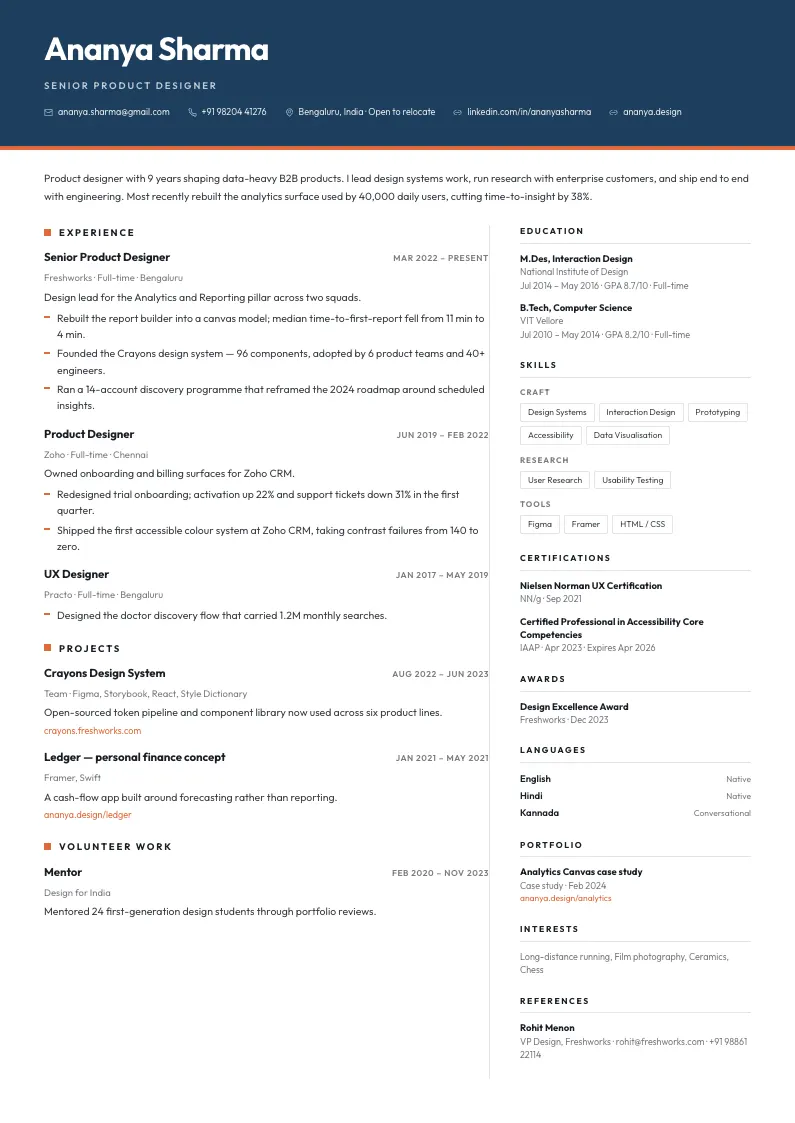
A colour band across the head, plain columns underneath.
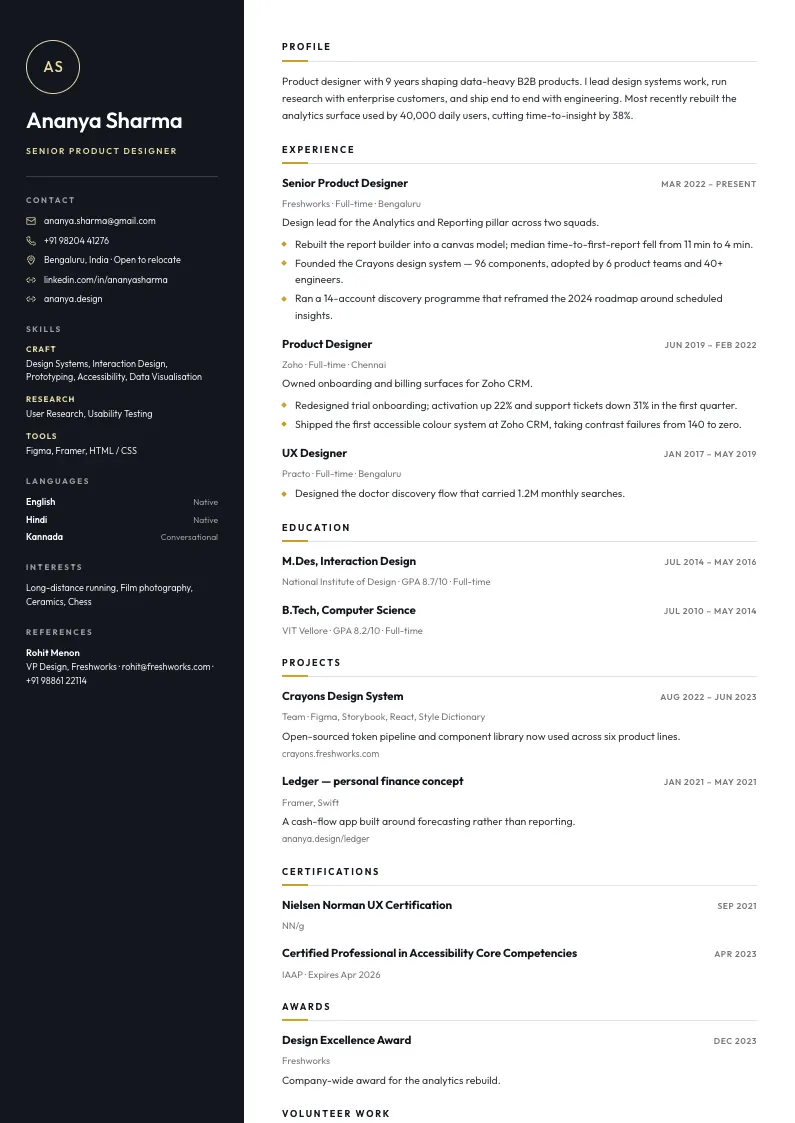
A deep sidebar carrying contact details and skills.
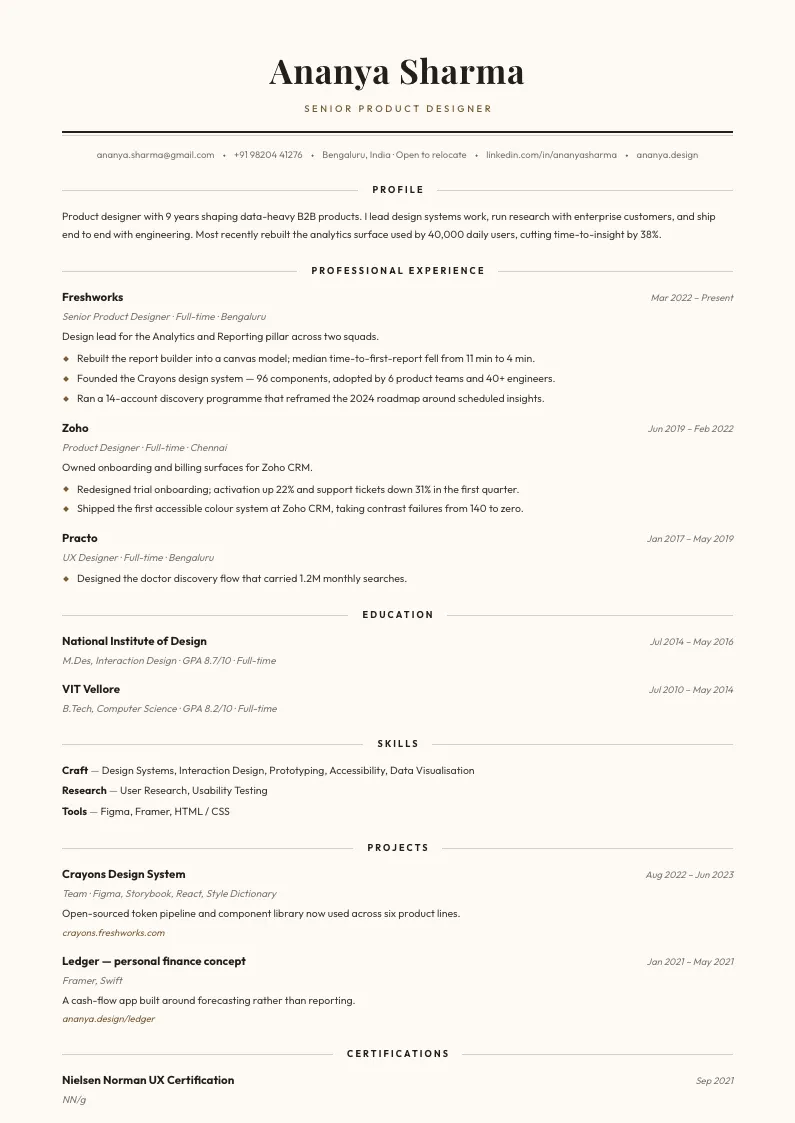
Classical and centred, on warm paper. Reads as typeset.
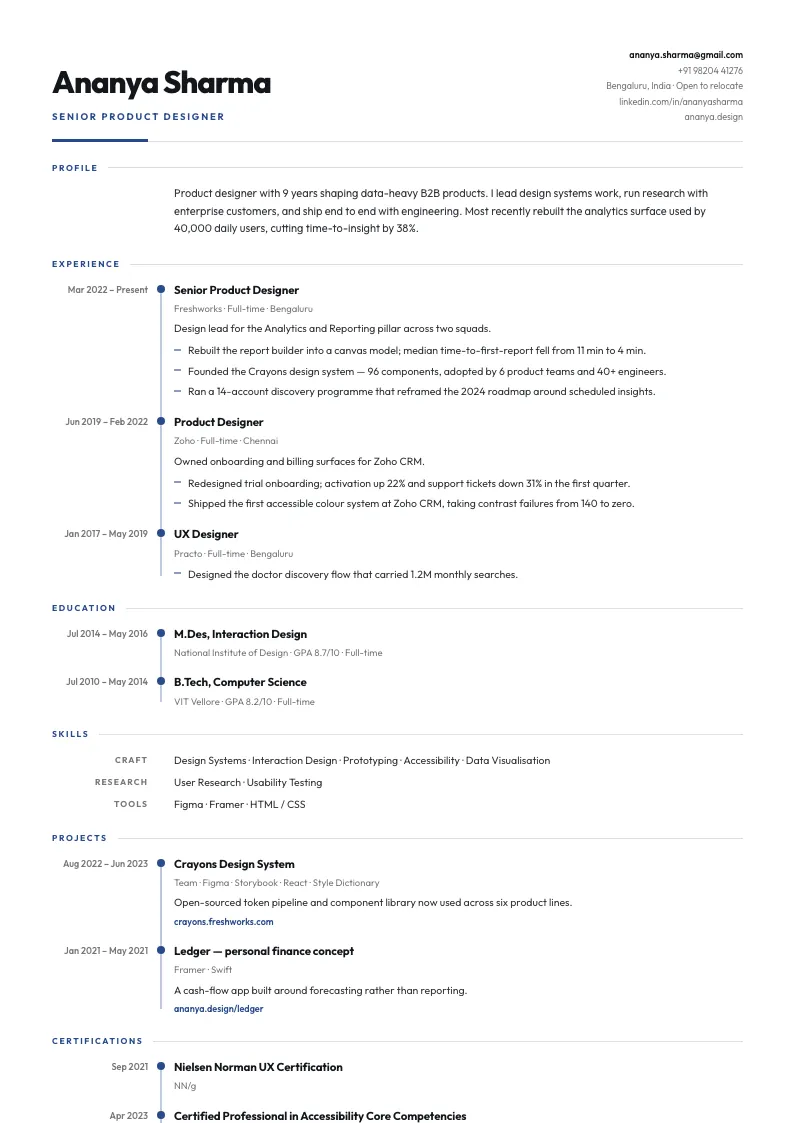
A timeline spine, with the dates leading each role.
Applicant tracking software does not judge your writing. It extracts text, and five ordinary layout habits stop it from extracting yours.
Parsers extract a text layer. Anything drawn as a picture — a skills wheel, a logo with your name in it — reads as nothing at all.
Every one of our designs is live text. Names, dates and section headings all come out of the PDF as characters.
Several parsers skip the header and footer regions entirely, which is how a resume arrives with no phone number attached.
Contact details sit in the body of the page, in reading order, on every template.
Cells are read left to right across the row, so a two-column table interleaves your job title with a skill and produces nonsense.
No template here uses a table for layout. Columns are laid out visually while the underlying text keeps one sensible order.
"My Journey" and "What I Bring" are invisible to a parser looking for Experience, Education and Skills.
Standard headings by default, in the language you pick — a section can be renamed, but it starts somewhere a parser will find it.
Software computes tenure by subtracting dates. Mixed formats mean it cannot, and the years of experience filter drops you.
One date format across the document, derived from the record rather than typed by hand.
Applying through a strict corporate portal? Atlas, Onyx and Vellum are single column, which gives a parser one unambiguous reading order. Already have a resume you like? Run a free ATS check on it before you rebuild anything.
Hiring conventions are not the same everywhere, and the same document can help you in one market and hurt you in another. Three that matter:
Yes. Creating an account gives you 100 credits and one PDF export costs 99, so your first export is covered with nothing to pay and no card to enter.
Another 100 credits, which is another export — about US$1.20. It is a one-off payment charged in Indian rupees: nothing auto-renews, there is no plan to cancel, and credits you have bought do not expire.
No. A screenshot of your LinkedIn or Naukri profile is enough on its own — images are read exactly like documents. So are marksheets, degree certificates, offer letters, internship letters and college IDs, up to five at a time, read together as one record.
Yes — the resume is a standard PDF and the applicant tracking systems used in the US, Europe and elsewhere read it the same way. Section headings can be set in eight languages, page length is adjustable, and two of the designs carry a photo for markets that expect one. Prices are charged in Indian rupees.
It depends where you are applying. In the US, UK, Canada, Australia and Ireland the convention is to leave it off, and many employers strip or discard photos to avoid bias claims. Across much of continental Europe, Latin America and Asia one is expected. Obsidian and Ember include a photo; Atlas, Onyx, Halcyon and Vellum do not, so switching is a single click either way.
Any of them will parse. If you are applying through a strict corporate portal, the single-column designs — Atlas, Onyx and Vellum — put the entire document in one unambiguous reading order and are the most conservative choice.
That is most of the point. Everything parsed out of your file is editable — roles, dates, bullet points, skills, links — and the preview updates as you go, including the page count.
Upload PDF, DOCX or images. You download a PDF with selectable text, which is what job portals and recruiters ask for.
You can see before you pay. The export screen measures the real rendered height and shows exactly where the page will cut, with a density setting and a font scale to pull a slightly-too-long resume back onto one page.
Section headings are available in Hindi, French, German, Spanish, Chinese, Japanese and Arabic alongside English.
Four minutes from now you will know whether it is better than the one you have.
100 credits on signup · one export costs 99 · no card
Would rather a person wrote it? We do that too.